
Lots of news this week so let's get started!
Looks like after much begging and waiting for a Sling Mobile application for Android, it looks like Sling Media caved and has been working on an Android version which has now hit
private beta. It's been a long time coming since users of Sling Media's SlingBoxes which purchased the first Android handset, the T-Mobile G1, have been clamoring for. Now with the private beta for the Android version swinging into full-effect, it looks like the long wait will be coming to an end soon!
Speaking of people who have been clamoring for an Android port,
Mint.com has finally released their Android version of their finance budgeting system. Users of Intuit's Mint.com can now check their balances, budgets and almost everything through the Android application. Several features are missing, but it's a great start with their 1.0 version and so far, people have been pretty happy with it.
Not satisfied with your Nexus One or shiny new HTC Incredible? Find your handset working great but still want more speed than 3G can give you? Introducing, the
first Android handset with 4G support, the Sprint HTC EVO 4G. Even spotted with
Oprah using it, the HTC EVO 4G goes on pre-order "later this month" with a target release date of either June 6th or June 13th. It also looks like B&M wise, RadioShack will be carrying the handset. If you're lucky enough to be in an area which has solid Sprint wireless coverage and 4G coverage, this might be your next shiny new phone!
Speaking of new handsets, the myTouch continues to "evolve", depending on how you look at it. The
myTouch 3G Slider is coming soon to T-Mobile. This model ships with Android 2.1, a slight speed bump to a 600 MHz processor, a 5MP camera and an 8GB microSD card. Nice upgrade along with a slide-out keyboard. So if you fancy your myTouch 3G and want to stick to something similar with the addition of a keyboard and want all the goodies in Android 2.1 and a better camera... this is your ticket!
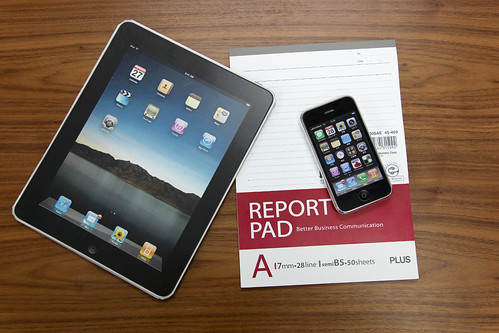
And now onto a project which would make any Apple fanboi or iPhone user squeamish! David Wang, who previously was able to port Android over to an iPhone 2G (1st Gen), has successfully
ported Android to an iPhone 3G, minus the audio. The ability to dual-boot into either the stock iPhone ROM or the Android OS is simply amazing. Since the days of getting Android on the the iPhone 2G, he now has a volunteer team of seven developers on maturing the project. And the only real issue left with getting Android working properly on the iPhone 3G is the audio portion. It can SMS and make calls over the "radio", however the speaker/mic section still doesn't work. We're all sure David and his team will get that licked quickly and be able to finally find time to get the iPhone 3G(S) port going!
Speaking of "sticking it to Apple" and the latest bickering between Adobe and Apple,
Adobe has decided to give free Android phones to their employees pretty much following in the footsteps of Google. In preparation of the Google I/O conference in two weeks, Adobe plans to show Flash for Android, in full force. I, however, don't see Steve Jobs losing any sleep over this. There is an Android Tablet that's being released at the end of June 2010 from Archos called the
Archos 7 Tablet. However, it's known at this time that it runs Android 1.6 and Android Marketplace isn't available in which Archos has their own AppsLib store. However, I don't think long after its release that it will be "jailbroken" in a sense by the ROM hackers...
And finishing up the Apple "themed" news in Android News... Still haven't bought an Apple iPad? No fear as Android Tablets are slated to be shipping soon and
Adobe isn't afraid to show full Adobe Flash & Adobe AIR support on a prototype Android Tablet. Looks pretty snazzy! And you'll be able to watch Hulu on your shiny new Android Tablet! And speaking of Hulu, it looks like
Skyfire 2.0 Beta browser, which I covered in last week's news, has Hulu support working... for now. And with Skyfire's previous dealings with Hulu support... that can change at any time.
Speaking of browsers, have you used Google with the Android browser lately? You might have noticed, that
Google's search website is now much more mobile friendly. Google has optimized their search website when it has detected an Android handset. It is now much easier to refine your search among other new features and functions! Hooray for all!
And popular "remote control" & "private VPN"
LogMeIn Ignition is now available as a beta for Android. Basically, the "easy setup VNC" is now available on the Android platform for you to do all your remote-control goodness on your Windows or OS X boxen.
And finally for this week,
Google Goggles for Android gets an update for multilingual translation. Mostly gimmicky at first, Google Goggles when first released was fun... for about 5 minutes when you run out of things for it to figure out. Now, Google has added the ability for Google Goggles to "read" English, French, Italian, German and Spanish through your camera and translate it into a wide variety of languages. It's pretty amazing if you haven't tried it already! So give it a whirl and let us know what you think!
And this is This Week in Android News!




 Posts
Posts


